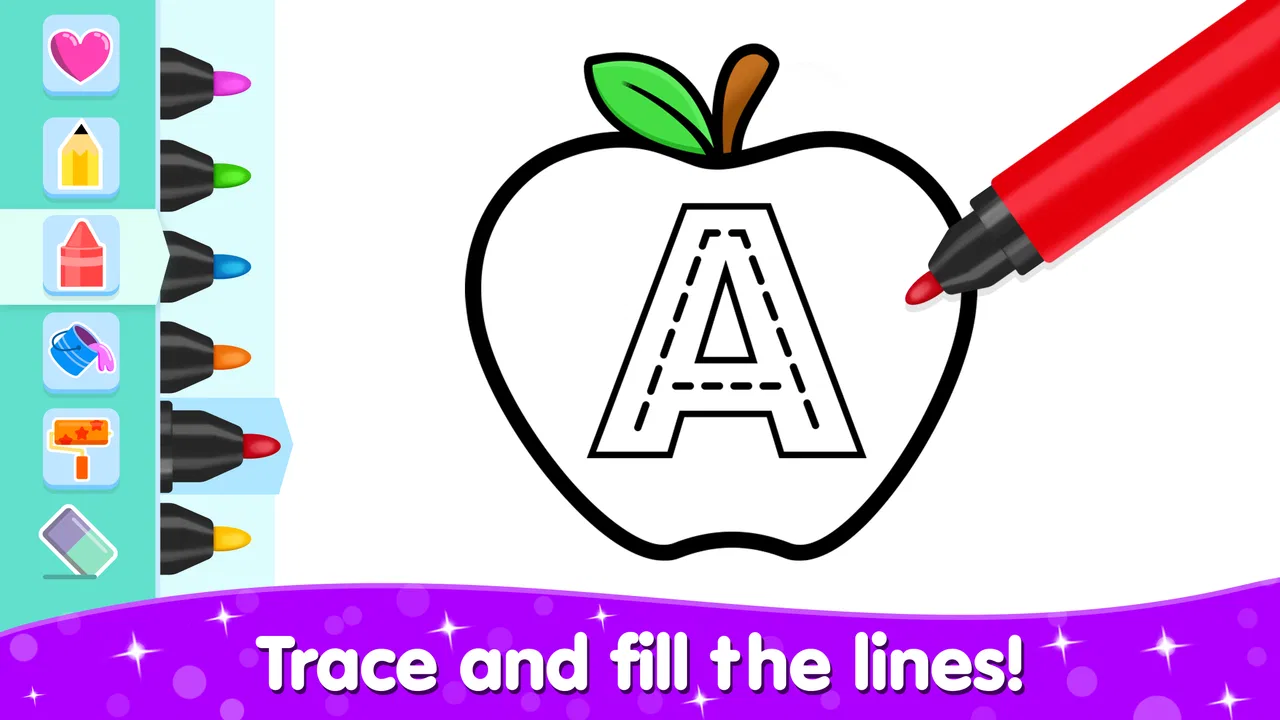
Kids Coloring Drawing Games
- 4.6
- Rating
- 5.00M
- Installs
- Free
- Price

 Analysis by App-foxy
I spent time with Kids Coloring Drawing Games as a simple creative activity for children, and its appeal became clear very quickly: it gives a child a low-pressure place to color, draw, and learn through play. It is not trying to be a full art studio or a complicated lesson platform. Instead, it works best as an easy activity that a parent can open when a child wants to make something immediately.
The game sits in the educational category, but I would describe its learning value as gentle rather than academic. The main experience is creative exploration. Children can choose a picture, add color, and experiment with marks without worrying about making a permanent mess on paper. That makes it useful for quiet time, travel, or a short activity before bedtime. The game is free to start, carries an Everyone age rating, and is made by Toy Tap LLP.
How the everyday coloring workflow feels
The most natural way to use it is to treat each session as a small project rather than expecting a long game. I would let a child choose one drawing, give them time to explore the available coloring tools, and then encourage them to explain what they created. That last step matters: the app provides the activity, but the conversation around the picture is where much of the educational benefit can appear.
You May Also Like

 Blood Strike: 2.5 Anniversary
Blood Strike’s Loadouts Turn Every Drop Into a Tactical Gamble
A close look at Blood Strike’s custom loadouts: how fast access to signature weapons reshapes its battle royale rhythm, rewards preparation, and narrows the gap between fights.

 Pandora - Music & Podcasts
Pandora’s Music Is Easy to Start, but Harder to Recover
Pandora’s strength is its low-effort path from a seed to a station. Its weak spot is how much confidence it asks you to place in connection, setup, and quiet recovery.

 8 Ball Pool
 Is Built on Rivalries, Rematches, and Routine
A close look at the rivalries, rematches, shared routines, and unanswered safety questions that turn a quick pool match into a persistent mobile community.

 Samsung Music
’s Quiet Strength Is Playing What You Already Own
Its reach comes less from spectacle than from dependable access to a personal library. That simplicity is both the app’s strongest retention engine and its ceiling.

 AccuWeather: Weather Radar
AccuWeather Review: A Quick, Clear Forecast for Everyday Decisions
For everyday plans, the best forecast is the one you can understand quickly. AccuWeather makes rain timing, radar, and local conditions easy to act on, with a few trade-offs.

 Hill Climb Racing
Why Hill Climb Racing Still Turns Crashes Into One More Run
A tiny car, a bumpy hill and one more upgrade: Hill Climb Racing keeps resurfacing because its simple chaos makes every near-miss feel personal.
More From Our News Desk



For a younger child, the basic routine is straightforward. Open the game, select a drawing, choose a color, and begin filling or adding marks. The simplicity is a strength because a child does not need to understand menus, scores, or complicated objectives before getting started. If the child is still learning how to use a touchscreen, the app also offers a forgiving way to practice tapping, dragging, and controlling movement.
I found that the best results come from giving the child a little structure without taking control away. Rather than choosing every color for them, I might suggest a theme such as a blue sky or a green garden, then let them decide the details. This turns a short coloring session into a small exercise in memory, language, and decision-making. It also avoids the common problem where an adult finishes the picture while the child watches.
A realistic use case is a family waiting for an appointment. A child can spend a few minutes working on a picture without needing paper, crayons, or a table. The activity is also suitable for a quiet moment at home when a parent needs something calmer than a fast action game. I would still keep the session age-appropriate and supervised, especially with very young children, because the value comes from using the game as an activity rather than leaving it to run unattended.
One useful habit is to ask the child to make a choice before touching the screen: “Which part will you color first?” or “What colors belong in this scene?” This slows the process just enough to encourage planning. It also helps a child who tends to tap randomly discover that coloring can have a beginning, middle, and finished result.
What makes it approachable for children
The game’s strongest quality is its low entry barrier. A child does not need drawing experience, reading fluency, or knowledge of art tools to enjoy it. That makes it a better fit for preschool and early-school routines than many drawing applications designed around blank canvases. A blank page can be intimidating; a prepared picture gives the child an immediate starting point.
That prepared structure also makes it easier for an adult to suggest a learning goal. You can talk about animals, objects, shapes, or colors while the child works. I would not call this a replacement for a structured educational course, but it can support the kind of informal learning that happens during play. The child is practicing recognition and expression without feeling as if they are completing a worksheet.
The game has reached over five million installs and holds an average rating of 4.6 from around three thousand ratings. Those figures suggest that the basic concept connects with many families, although they should not be treated as proof that every child will enjoy the same style of play. Some children prefer open-ended drawing, while others want puzzles, stories, or more obvious goals.
Settings and habits worth checking first
Before handing over the device, I would look through the available controls and make the experience comfortable for the child. The most important practical check is whether the child can move between drawings or screens easily enough without repeatedly leaving the activity. If a child is likely to tap quickly, I would also stay nearby during the first sessions and see how confidently they navigate.
I would prepare the phone or tablet in the way I prepare any child-focused activity: reduce distractions, set a reasonable session length, and make sure the device has enough battery. These are not special features of the game, but they make a real difference. A coloring activity loses its calm character if notifications interrupt it or the child is suddenly pushed into unrelated parts of the device.
Because the game is free but includes in-app purchases priced at $2.99 per item, I would check the purchase safeguards on the device before letting a child play independently. That is a practical step for any free children’s game. The price is not automatically a problem, but a child should not be making purchase decisions alone. Parents should also explain that some choices may be available only through an optional purchase, so the child does not feel that they have done something wrong when a locked item appears.
The current version is 2.5.2, and the game runs on Android 7.0 or later. That makes it accessible on many older Android devices, which is useful if a family keeps a previous phone or tablet for children. I would still test the game on the actual device before planning a long trip, because performance and screen size can affect how comfortable coloring feels. A small phone screen may work, but a larger tablet is likely to be easier for a child who is still developing touch accuracy.
Another setting-related choice is deciding whether the child should use a finger or a stylus, if the device supports one. A finger is the simplest option and keeps the activity casual. A stylus can help an older child practice more controlled lines, but it also adds something that can be lost or misused. I would not buy extra hardware just for this game; I would use what the family already has and focus on comfort.
Faster patterns for repeat sessions
Experienced use is less about discovering secret controls and more about creating a repeatable routine. I would keep the game available in a predictable place on the device, start with one drawing, and decide in advance whether the session is for free play or a small learning prompt. That removes the hesitation that often causes children to jump between screens without completing anything.
For a quick five-minute activity, I would choose a single color challenge: use warm colors, find every area that could be blue, or create a picture with only three colors. For a longer session, I would let the child finish one picture and then describe it. These patterns make the same basic coloring tools feel different from day to day without requiring new content or complicated rules.
A particularly useful approach is to alternate control. The child chooses the picture, the adult suggests a theme, and the child decides how to interpret it. On another day, reverse the pattern. This keeps the activity collaborative while protecting the child’s ownership of the drawing. It also reveals whether the child enjoys coloring itself or mainly enjoys the attention and conversation around it.
I would save or show finished work only when that is convenient, rather than turning every picture into a performance. Some children become more creative when they know the result does not need to be displayed. Others enjoy comparing their choices over time. The right approach depends on the child, but the important point is to avoid judging the picture by neatness. The game is most valuable when experimentation feels safe.
Another practical pattern is to use the app as a transition activity. A short coloring session can help a child move from energetic play to a quieter routine. I would avoid using it as a reward for every behavior, because then the child may focus only on gaining screen time. Used occasionally and with a clear beginning and end, it can become a dependable part of a family routine.
Where it is stronger than usual alternatives
Compared with a physical coloring book, the game is cleaner and easier to carry. There are no crayons to spill, pages to tear, or surfaces to protect. That is a meaningful advantage during travel or in a waiting room. Physical coloring still wins for children who enjoy the texture of paper and the freedom to make large gestures, so I see the digital version as a companion rather than a replacement.
Compared with a blank drawing app, this game is less intimidating for beginners. A child can begin with an existing image instead of facing an empty canvas. That makes it a better first step for children who say they cannot draw. The trade-off is that a prepared coloring experience may feel restrictive to children who want to invent their own characters, scenes, or visual stories.
Compared with more formal educational games, the learning here is woven into creative play rather than presented as a sequence of lessons. That can make it easier for a child to enjoy, but it also means parents should not expect detailed progress tracking or a curriculum-style path. If the goal is reading practice, mathematics, or a specific school skill, another educational app will probably be the better choice.
The Everyone rating makes the game broadly suitable from a content perspective, but age suitability is not the same as personal readiness. A toddler who presses everywhere may need an adult beside them. A child who already wants advanced drawing tools may outgrow the experience quickly. I would choose it for accessibility and relaxed creativity, not for technical depth.
Limits that become clearer with regular use
The same simplicity that makes the game welcoming can eventually make it feel repetitive. Children who enjoy a clear sense of progression, challenges, or competition may ask what comes next after several coloring sessions. The experience is better suited to open-ended repetition than to a strong reward loop. That is not a flaw for every family, but it is an important expectation to set.
Touchscreen coloring also has natural limits. A finger covers part of the picture, and precise work can be difficult on a small display. If a child becomes frustrated by going outside a shape or struggles to control lines, I would move to a larger screen or return to paper rather than treating the problem as a lack of ability. The app should support creativity, not become a test of patience.
Optional purchases are another point to manage. Since the game is free to download and individual in-app items cost $2.99, parents should decide beforehand whether purchases are part of the experience. I prefer making that rule clear: either the child uses the free content, or an adult chooses an item deliberately. This keeps the focus on coloring and avoids turning the session into repeated requests.
I would also skip this game if the child strongly dislikes coloring, needs spoken guidance, or expects a story-driven adventure. Its appeal depends on visual interaction and personal choice. It is not the right tool for every learning need, and no amount of setup will make a quiet coloring activity feel like an action game for a child who wants constant movement.
My verdict after building a routine around it
I recommend Kids Coloring Drawing Games to parents looking for an uncomplicated digital art activity for young children. Toy Tap LLP has kept the central idea easy to understand, and that makes the game practical in everyday situations where a full lesson or elaborate game would be too much. The strongest experience comes when an adult adds a little conversation, a small color challenge, or a predictable stopping point.
It is free, broadly accessible, and suitable for Everyone, with support for Android 7.0 and later. Its 5M+ installs and strong average rating show that it has found a substantial audience, but the more useful question is whether your child enjoys calm, guided creativity. If the answer is yes, this can become a handy activity for travel, waiting, or a quiet afternoon.
My final advice is to begin with short sessions, check the device’s purchase protections, and let the child make most of the artistic decisions. Do not expect a professional drawing tool, a complete school program, or endless progression. Expect a friendly starting point for coloring and learning through choice. For families that value simple creative play over complicated game systems, it is an easy recommendation.
FAQs for Kids Coloring Drawing Games
01What is Kids Coloring Drawing Games, and who is it designed for?
Kids Coloring Drawing Games is a child-friendly creative app that lets children color pictures, draw freely, and experiment with different digital brushes, colors, stickers, and simple artistic tools. It is mainly designed for preschool and early-school-age children, although the exact suitability depends on the child’s reading ability and comfort with touch controls. Parents should review the available activities before letting younger children play independently.
02Is Kids Coloring Drawing Games free to download and use?
The app can generally be downloaded without an upfront payment, but parents should check the current store listing because pricing, advertisements, and optional purchases may vary by version and region. Some coloring pages, tools, or extra content may be locked behind in-app purchases. Before handing the device to a child, it is recommended to enable parental purchase restrictions and review the app’s payment settings.
03Does the app require an internet connection to work?
Many basic coloring and drawing activities may be available without a constant internet connection once the app has been installed. However, an internet connection could be needed for downloading additional content, displaying advertisements, restoring purchases, or accessing certain online features. Parents who want an offline experience should open the app in advance, test the desired activities, and confirm that the selected pages work before traveling or giving the device to a child.
04Is Kids Coloring Drawing Games safe for children?
The app is intended as a child-oriented creative experience, but parents should still supervise younger users and check the permissions, advertisements, and privacy information shown on the download page. Depending on the version, external links, purchase prompts, or ads may be present. Using parental controls, disabling unauthorized purchases, and playing together at first can help ensure that children use the app safely and do not accidentally access unsuitable content.
05What devices are compatible with Kids Coloring Drawing Games?
Compatibility depends on the particular Android or iOS version, the device model, and the requirements specified by the developer. Before downloading, check the official app-store listing for the minimum operating-system version, storage requirements, and supported devices. The game is generally intended for phones and tablets with touchscreens, while a larger tablet display may provide a more comfortable coloring experience for children.
Pros
- Simple controls make it easy for young children to start drawing independently.
- Bright colors and playful visuals keep creative sessions engaging.
- Offline access allows children to play without an internet connection.
- Multiple coloring pages provide variety for repeated use.
- Creative play can support color recognition and fine motor skills.
Cons
- Some content or tools may be locked behind in-app purchases.
- Frequent prompts could distract children during coloring sessions.
- Limited drawing features may feel basic for older kids.
- Ads may appear unless the app offers an ad-free upgrade.
- Parents should check privacy and purchase settings before handing over the device.

Kids Coloring Drawing Games
Gallery